Free and open source · v0.1.0
Your agent, in the chats
you already use.
Mingle turns Claude Code, Codex or another agent you already have into a companion with a name, a role and a memory, and brings it into WeChat, Feishu, Slack, Telegram and four more chat apps as a bot. It runs on your computer. There is no Mingle server.

Eight chat apps. One agent.
- WeCom
- Feishu
- DingTalk
- Slack
- Discord
- Telegram
How it works
Three steps. About a minute.
-
1
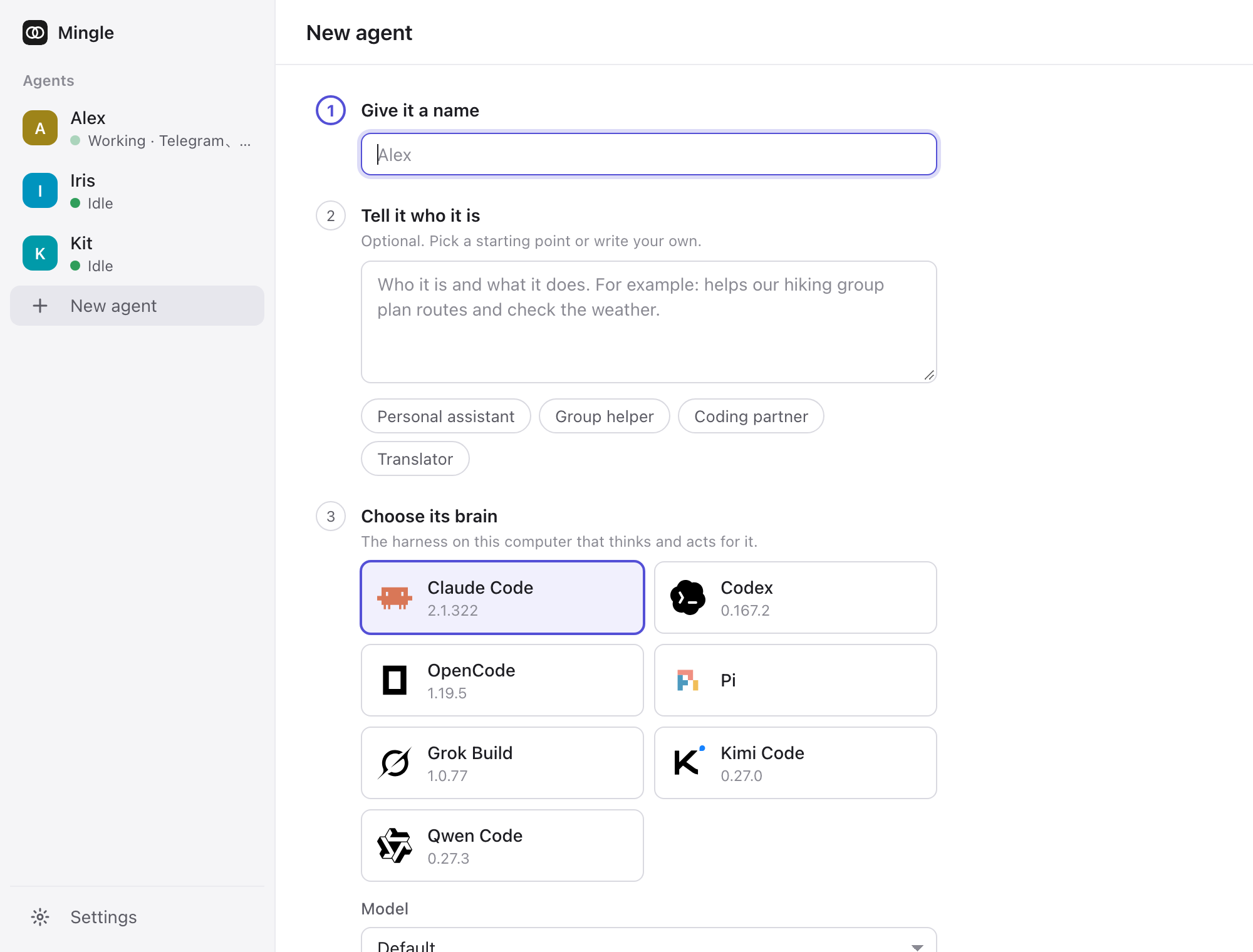
Create an agent
Give it a name and say who it is in plain words. Then pick its brain: Mingle lists the harnesses installed on this computer and reads their models for you.
-
2
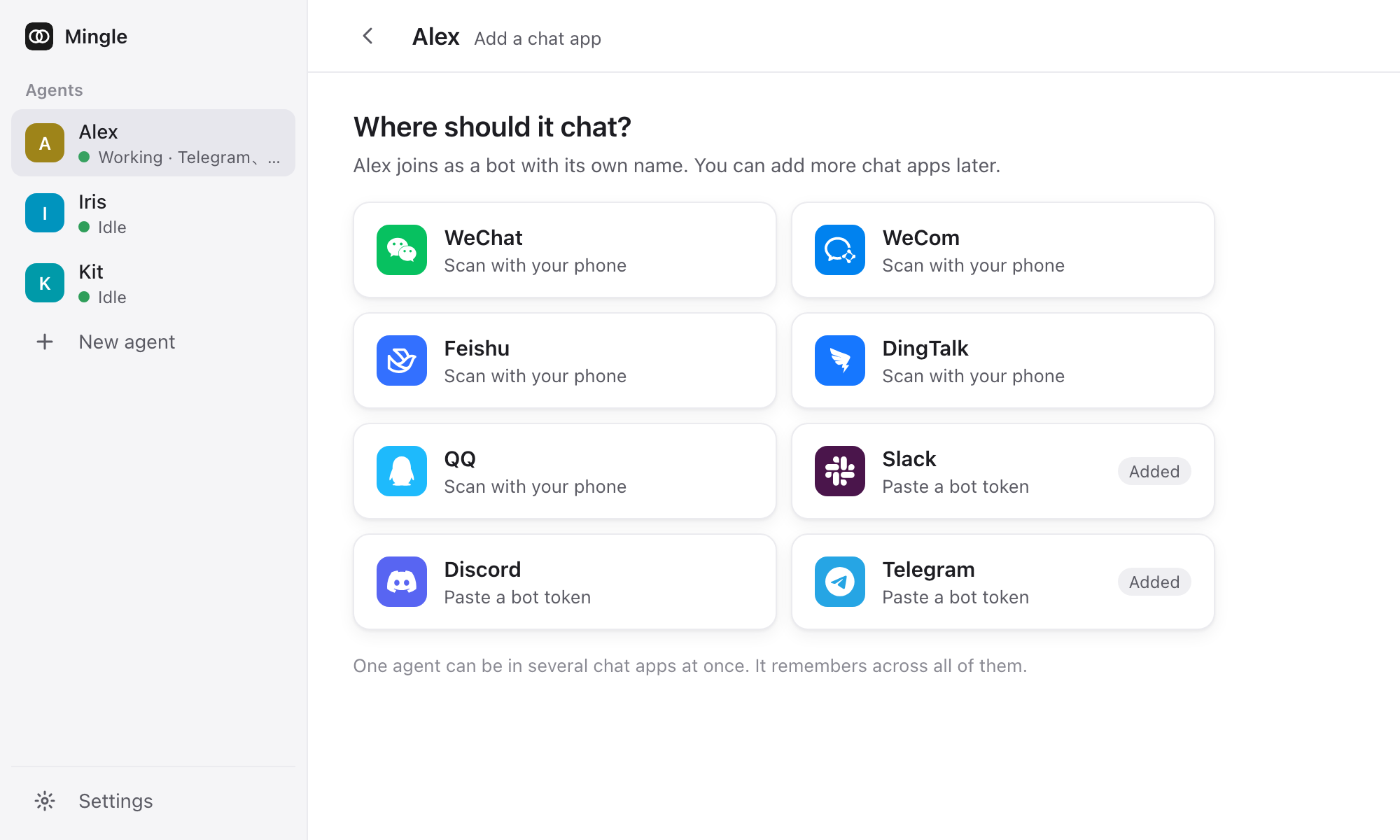
Connect a chat app
Scan a code with your phone for WeChat, WeCom, Feishu, DingTalk and QQ. Paste a token for Slack, Discord and Telegram. The console walks you through each step.
-
3
Talk to it
Message it directly, or @ it in a group. It reacts as soon as it starts, and the reply fills in while it works. The first person to message it becomes its owner.


The agent
A companion, not a terminal in a chat window.
Alex is someone you talk to, not a session you manage. It keeps one long-lived session, its own home folder and its own memory. What you told it on Telegram, it still knows on Slack. There is no /new and no /switch; the one command is /stop.
Remembers across apps
One agent, one memory, in every chat app it joins.
Tasks and reminders
It writes down what it's working on and speaks up on time.
Shows its work
A reaction on your message, then a live reply that becomes the answer.
Files both ways
Send it a file or a photo; it sends files back, on every app.
Brains
Bring the brain you already pay for.
Mingle doesn't call a model itself. It drives the coding agent you've installed and signed in to, with your own subscription or API key. Pick a model per agent and change it any time; the next message uses it.

 Claude Code

 Codex

 OpenCode

 Kimi Code

 Qwen Code

 Grok Build

 Pi
Tested end to end with Claude Code and Codex.
Privacy
Your data stays on your machine.
No Mingle server
Mingle is a program on your computer. The console listens on 127.0.0.1 and nowhere else.
No account, no telemetry
Nothing to sign up for. Nothing is reported back to us.
Credentials in the system's store
Bot tokens live in the macOS Keychain, Windows DPAPI or the Linux Secret Service. Never in the database, the logs or an API response.
Official bot channels only
Every chat app is connected through its official bot API, never a personal account.
Your messages still pass through the chat app and your model provider. That part is theirs, not ours.
Details
Small, quiet and out of the way.
A desktop app
Lives in the menu bar or tray, keeps Mingle running, opens at login and updates itself.
Needs you, in one place
A broken connection, a pending admin approval or an unanswered message, each with what to do.
Retry what it missed
A message it failed or didn't answer gets a Retry button. It knows the answer is late.
Errors in plain words
Signed out, out of usage, busy: the chat and the console say what happened and what helps.
Light and dark, two languages
Follows your system's appearance. English and Chinese.
Open source
MIT licensed. Read it, build it, change it.
Terminal
Also a CLI. Agents use it too.
One command installs the desktop app. From source, the same mingle command runs everything from a terminal, and it's how agents talk back: reply, send, read the chat, keep tasks and set reminders.
curl -fsSL https://github.com/earayu/Mingle/releases/latest/download/install.sh | shirm https://github.com/earayu/Mingle/releases/latest/download/install.ps1 | iexgit clone https://github.com/earayu/Mingle.git && cd Mingle
pnpm install && pnpm build
node dist/cli/main.js start$ mingle start
# run Mingle and open the console
$ mingle harnesses
# harnesses installed on this computer
$ mingle agent create --name Alex --harness claude --role "You help me plan trips."
$ echo "$TELEGRAM_BOT_TOKEN" | mingle connect alex telegram
$ mingle status
# agents and their connections
Bring your agent to the group chat.
Free, open source, and on your own computer.
The apps aren't signed yet. On macOS, allow Mingle in System Settings → Privacy & Security the first time. On Windows, choose More info → Run anyway. All releases →